Password & Security
Reset or change your password, and enable two‑factor authentication.
Change Your Password
Change Your Password
If you can sign in and want to change your password:
- Open the Account Console: https://auth.junovy.com/realms/dds/account
- Navigate to the Security or Password section.
- Enter your current password and choose a new one.
- Save changes.
Password tips
- Use a unique passphrase you don’t reuse elsewhere.
- Consider a password manager to generate and store complex passwords.
Reset Your Password
Use this if you forgot your password or can’t sign in.
- Open Reset Password
- Enter your account email or username and submit.
- Check your email and follow the link to set a new password.
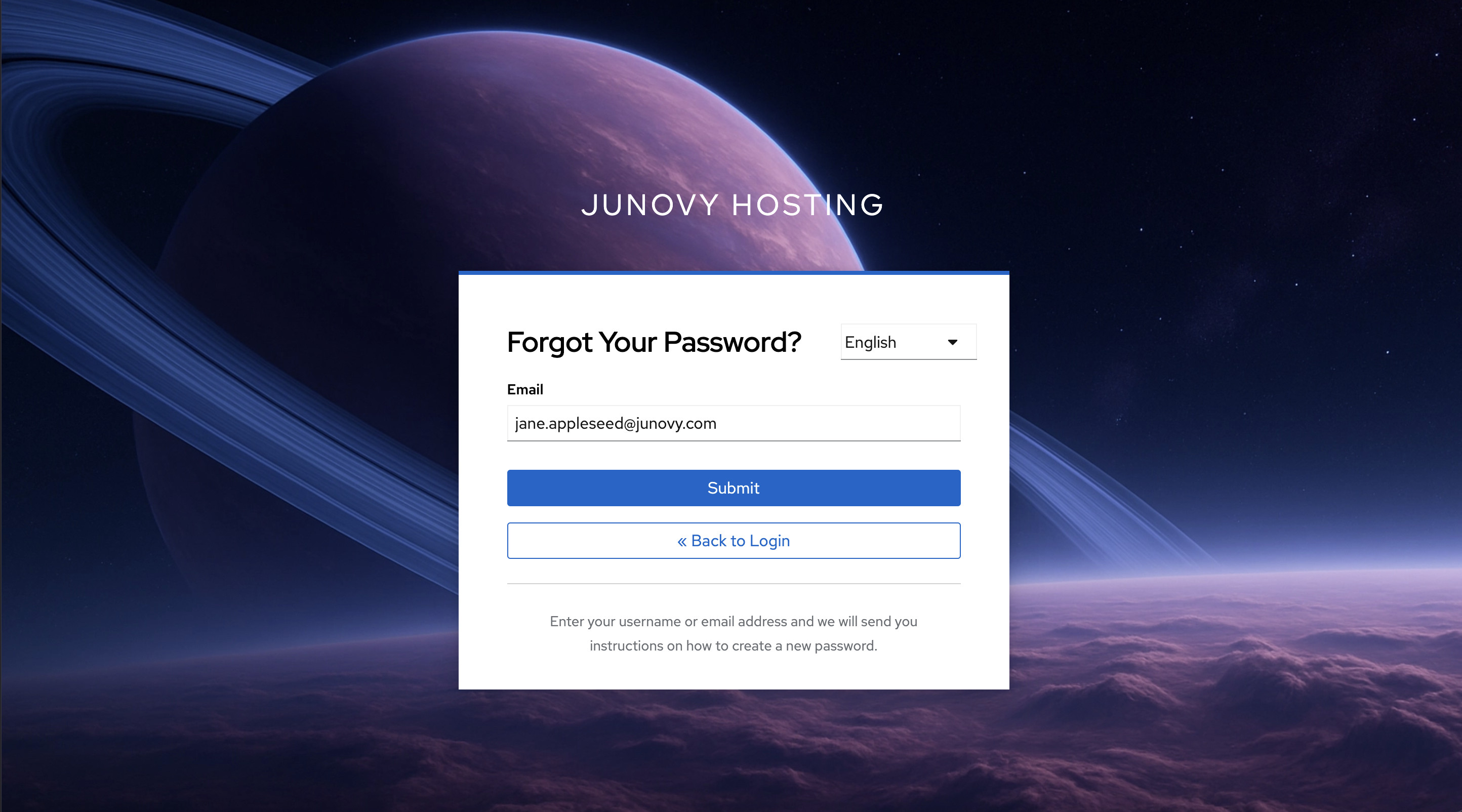
If you don’t receive the email
- Wait a few minutes and check spam/junk folders. The email will be sent from noreply@junovy.com.
- Make sure you used the correct email/username.
- If the link expired, repeat the reset request.
- Still stuck? See Troubleshooting & Support.
Two-Factor Authentication (2FA)
Two‑Factor Authentication (2FA)
Add an extra layer of security to your account by using a code from an authenticator app when you sign in.
Enroll 2FA
- Sign in to the Account Console: https://auth.junovy.com/realms/dds/account
- Go to Security (or Two‑Factor Authentication).
- Choose to set up an authenticator app.
- Scan the QR code with your authenticator app (e.g., 1Password, Authy, Google Authenticator, Microsoft Authenticator).
- Enter the 6‑digit code to confirm setup.
Recovery options
- If recovery codes are offered, save them in a secure place.
- If you lose your device and have no recovery codes, contact your admin/helpdesk to regain access.
Best practices
- Use a password manager with built‑in OTP support to back up your codes.
- Do not share your 2FA codes or screenshots of the QR code.