Junovy Account
How to access and manage your Junovy Account (powered by Keycloak). Learn to sign in, reset your password, enable two‑factor authentication, update your profile, and manage sessions.
Overview
Junovy Account
This guide helps you manage your Junovy Account, which uses Keycloak for authentication in the “dds” realm. You’ll learn how to sign in, reset your password, enable two‑factor authentication (2FA), update your profile, and review active sessions.
Quick links
Chapters
- Getting Started
- Password & Security
- Profile & Preferences
- Troubleshooting & Support
Getting Started
Sign in and understand the basics of your Junovy Account.
Introduction
Introduction
Your Junovy Account lets you securely access Junovy services. Authentication is managed by Keycloak in the “dds” realm.
What you can do
- Sign in to Junovy apps and services
- Reset your password if you forget it
- Enable two‑factor authentication (2FA) for extra protection
- Update your profile details
- Review and sign out of active sessions
Important URLs
- Reset Password: https://auth.junovy.com/realms/dds/login-actions/reset-credentials
- User Profile & Account Console: https://auth.junovy.com/realms/dds/account
Tip: Bookmark the links above to avoid phishing and ensure you always reach the correct site.
Sign In
Steps
- Login via https://cloud.junovy.com
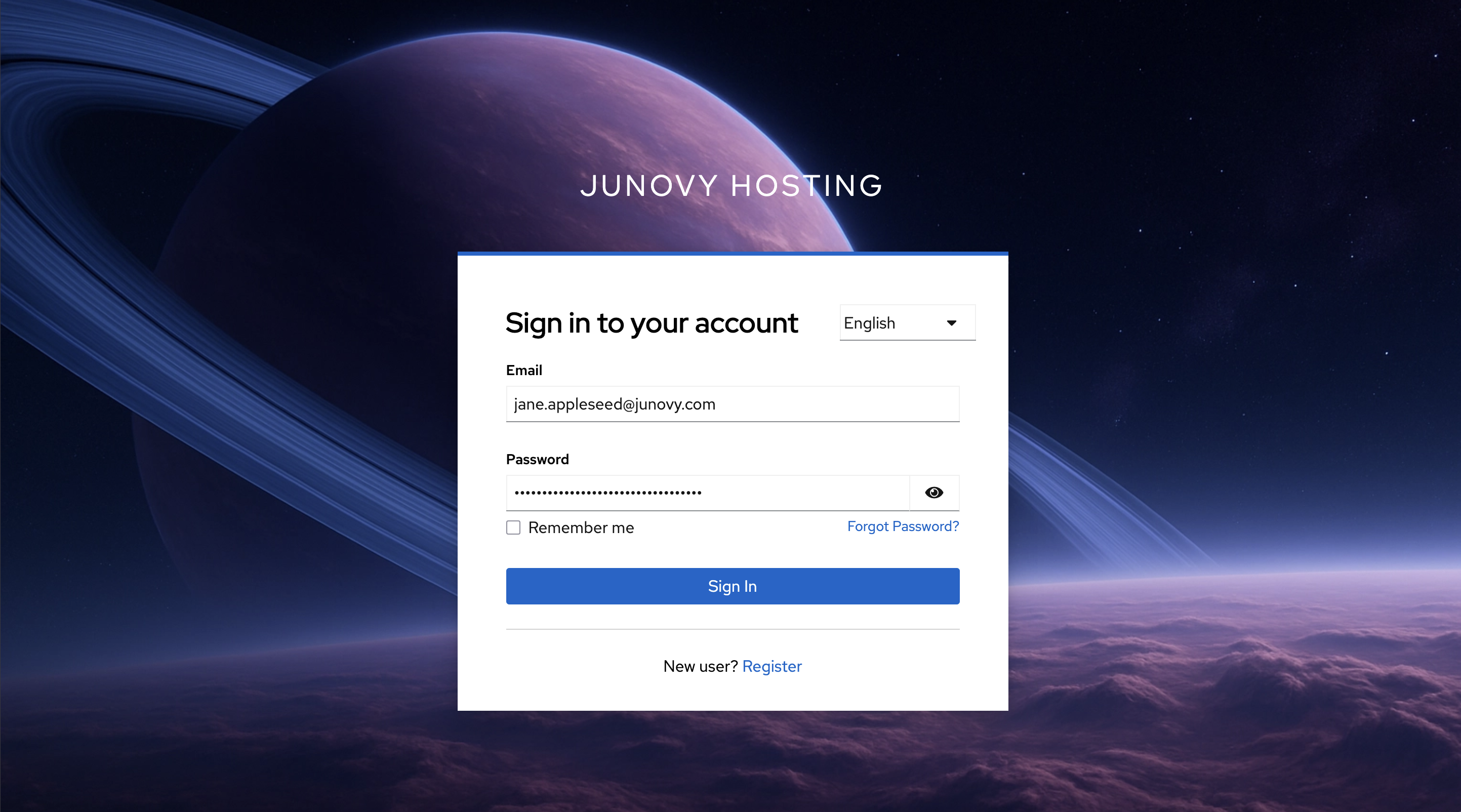
- You’ll be redirected to the Junovy sign‑in page.
- Enter your email and password, then continue.
- If prompted, complete two‑factor authentication (2FA).
Tips
- If you’re unsure of your username, check your welcome email or ask your admin.
- Use a modern browser and ensure your system time/date are correct (helps with 2FA codes).
Password & Security
Reset or change your password, and enable two‑factor authentication.
Change Your Password
Change Your Password
If you can sign in and want to change your password:
- Open the Account Console: https://auth.junovy.com/realms/dds/account
- Navigate to the Security or Password section.
- Enter your current password and choose a new one.
- Save changes.
Password tips
- Use a unique passphrase you don’t reuse elsewhere.
- Consider a password manager to generate and store complex passwords.
Reset Your Password
Use this if you forgot your password or can’t sign in.
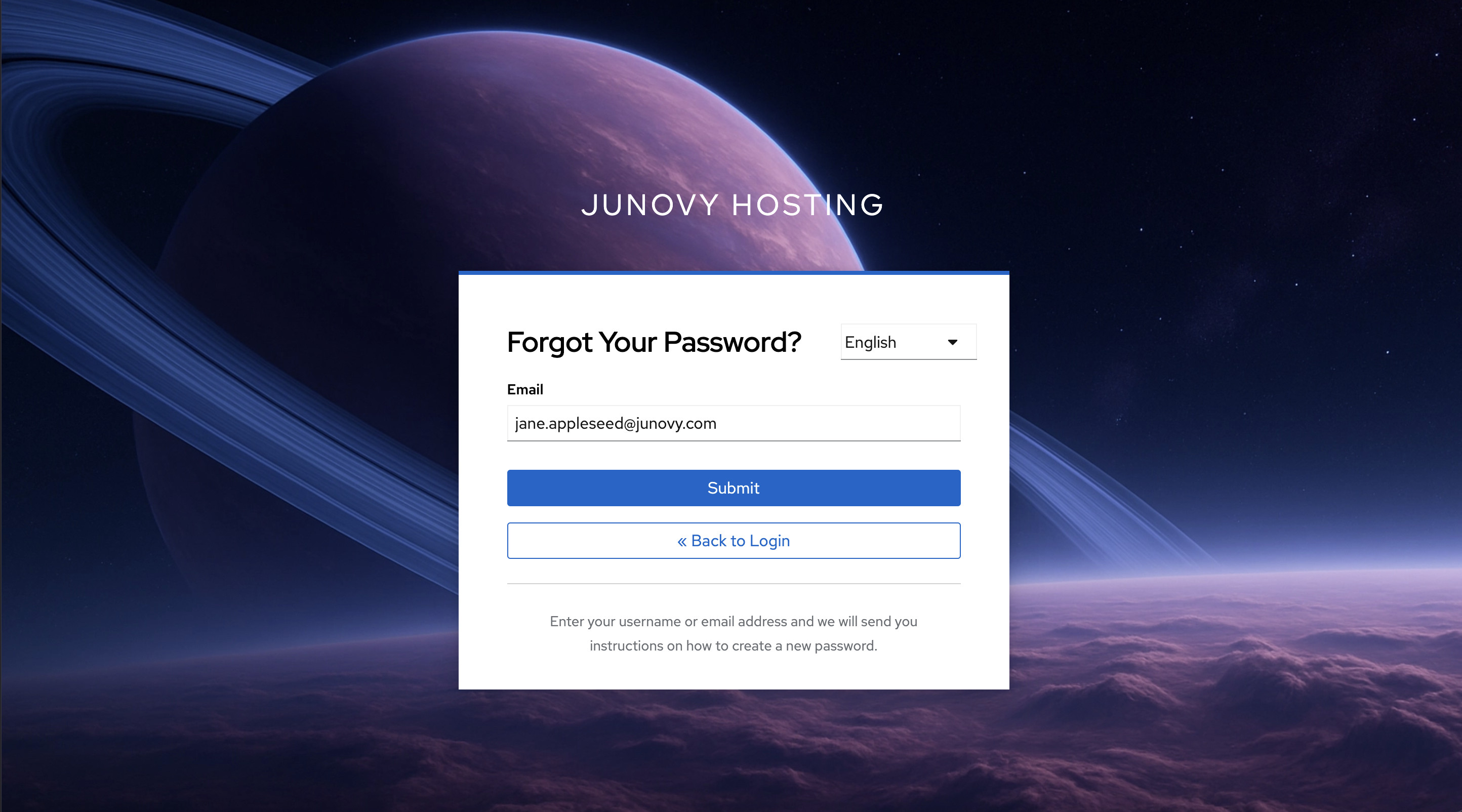
- Open Reset Password
- Enter your account email or username and submit.
- Check your email and follow the link to set a new password.
If you don’t receive the email
- Wait a few minutes and check spam/junk folders. The email will be sent from noreply@junovy.com.
- Make sure you used the correct email/username.
- If the link expired, repeat the reset request.
- Still stuck? See Troubleshooting & Support.
Two-Factor Authentication (2FA)
Two‑Factor Authentication (2FA)
Add an extra layer of security to your account by using a code from an authenticator app when you sign in.
Enroll 2FA
- Sign in to the Account Console: https://auth.junovy.com/realms/dds/account
- Go to Security (or Two‑Factor Authentication).
- Choose to set up an authenticator app.
- Scan the QR code with your authenticator app (e.g., 1Password, Authy, Google Authenticator, Microsoft Authenticator).
- Enter the 6‑digit code to confirm setup.
Recovery options
- If recovery codes are offered, save them in a secure place.
- If you lose your device and have no recovery codes, contact your admin/helpdesk to regain access.
Best practices
- Use a password manager with built‑in OTP support to back up your codes.
- Do not share your 2FA codes or screenshots of the QR code.
Profile & Preferences
Update your profile, review devices and sessions, and manage email preferences.
Devices & Sessions
Devices & Sessions
Review where your account is signed in and sign out remotely if needed.
- Open the Account Console: https://auth.junovy.com/realms/dds/account
- Go to Sessions or Device Activity.
- Review the list (browser, OS, last access time).
- Click Sign out for a specific session, or choose Sign out all sessions.
Tip: If you changed your password due to suspicious activity, sign out all sessions afterwards.
Update Your Profile
Update Your Profile
- Open the Account Console: https://auth.junovy.com/realms/dds/account
- Go to Profile.
- Update your first/last name and other details.
- Save changes.
Notes
- Some fields (like email or username) may be managed by your organization and locked. If you need a change, contact your admin/helpdesk.
Troubleshooting & Support
Fix common account issues and get help.
Support
Support
If you need help with your Junovy Account:
- Ask your team’s admin or internal helpdesk.
- Provide details: your username/email, the page URL you’re on, and the approximate time of the issue.
- Include screenshots only if policy allows (avoid sharing sensitive information).
For urgent access issues (e.g., locked out and no recovery codes), contact your admin/helpdesk to restore access securely.
Troubleshooting
Troubleshooting
Can’t sign in
- Verify the site URL is correct and uses the “dds” realm.
- If you forgot your password, use Reset Password: https://auth.junovy.com/realms/dds/login-actions/reset-credentials
- If 2FA fails, ensure your device time is set automatically and try again.
Didn’t receive the reset email
- Check spam/junk and filters.
- Wait a few minutes; request again if needed.
- Confirm you used the right email/username.
Lost 2FA device
- Use recovery codes if you saved them.
- Otherwise, contact your admin/helpdesk to verify your identity and regain access.