
Getting Started
Welcome to Junovy Cloud Storage! This page will walk you through your first login and initial setup. Junovy Cloud Storage is available with a Business subscription and higher.
Step 1: Prepare Your Login Information
Before you begin, make sure you have:
- The email you used to signup for Junovy services.
- Your temporary password (sent via email or provided by support)
- Access to your email for account verification
Step 2: Access the Login Portal
- Open your web browser and go to https://cloud.junovy.com
You'If you are not currently logged in, you'll see the Junovy authentication page
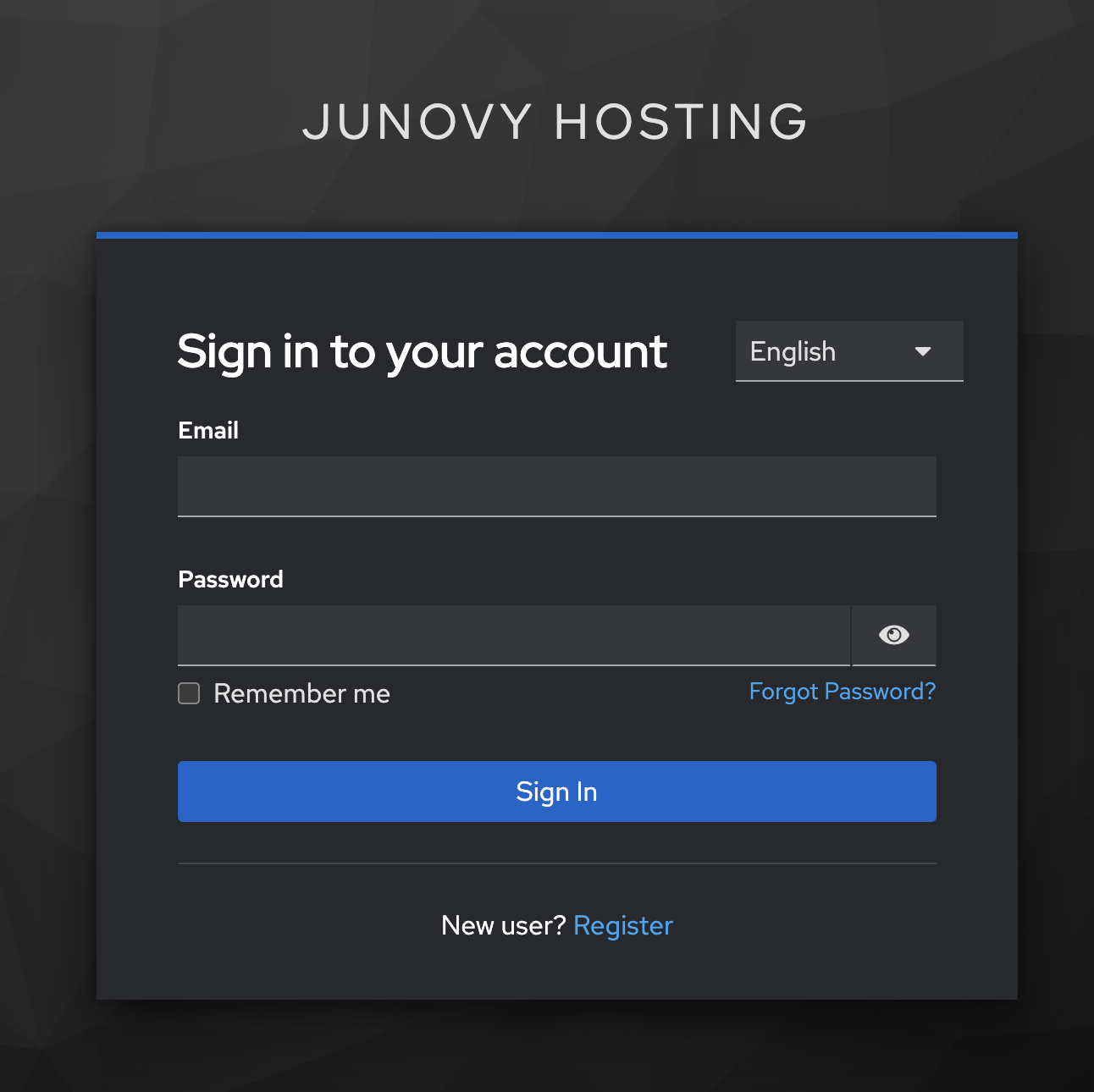
Step 3: Enter Your Credentials
- Enter your username in the first field
- Enter your password in the second field
- Click the Sign In button
[Screenshot: Login form with example credentials filled in]
Step 4: Set Up a Secure Password
If this is your first login, you'll be prompted to change your password:
- Create a strong password with more than 12 characters
- Include a mix of uppercase letters, lowercase letters, numbers, and symbols
- Tip: Consider using a password manager like Bitwarden, 1Password, or your browser's built-in password manager to generate and store secure passwords
- Confirm your new password
- Click Update Password
[Screenshot: Password change form]
Step 5: Access Your Cloud Storage
After successful login, you'll be automatically redirected to your cloud storage dashboard at https://cloud.junovy.com/apps/dashboard/
[Screenshot: NextCloud dashboard showing main interface]
Step 6: Enable Two-Factor Authentication (Recommended)
For enhanced security, set up two-factor authentication:
- Go back to https://auth.junovy.com/realms/dds/account
- Navigate to your Junovy User Profile
- Look for the Two-Factor Authentication or Security section
- Follow the setup instructions to add your authenticator app
Next Steps
Congratulations! Your Junovy Cloud Storage account is now ready to use. In the next chapter, you'll learn how to install the desktop and mobile apps for seamless file synchronization.
Troubleshooting
- Can't remember your username? Contact your administrator or Junovy support.
- Password not working? Try the password reset option on the login page or contact support.
- Not redirected to cloud storage? Check your browser settings and ensure JavaScript is enabled.